
Wrapping Up 2025: Product Highlights
Explore Peerdom’s picks of the top 5 product highlights from 2025.
2025 was a year of acceleration and abundance. Our internal changelog logged 468 updates, and we shared 72 public product updates along the way. We stepped into AI-assisted org design with our Inspiration map creator, brought more outside data into the map through new integrations, and revealed relationships that connect teams in ways that traditional org charts never show.
Picking just five highlights felt almost unfair. But a countdown is a countdown, so here are our top five picks for '25.

#5: New ways to explore your map
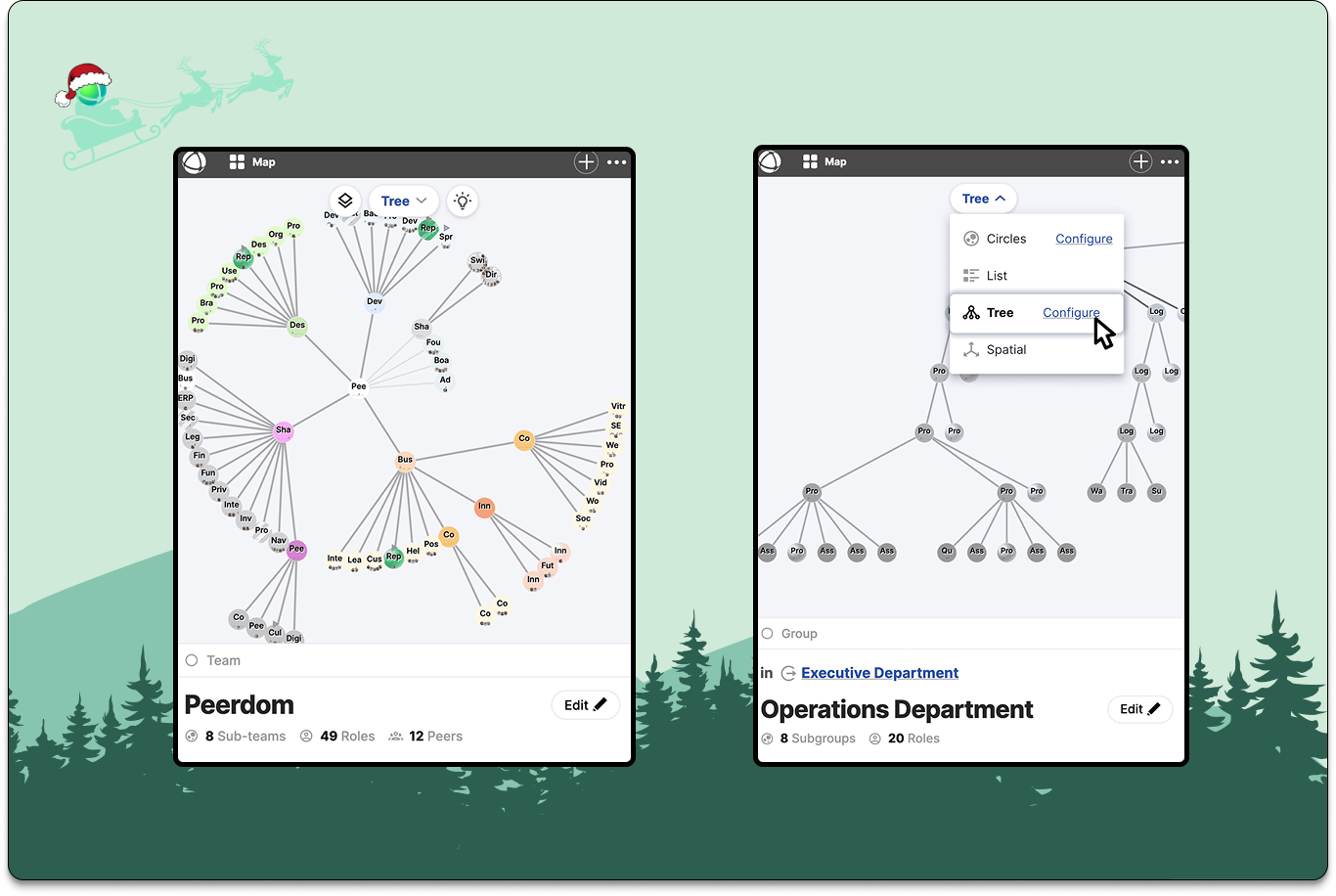
For many people, the first step in understanding an organization is a classic organigram. This year we embraced that familiarity with Tree View and Radial Tree View. These two new layouts make compliance reviews, onboarding conversations, and reporting structures easier to scan.
Now, with a single click, teams can switch between a traditional hierarchical view and Peerdom’s more modern, networked map layouts. It’s a small moment of magic: you see instantly how the same organization takes on a different shape depending on the perspective you use.
#4: Enriched Apps
Beyond the map itself, 2025 brought a wave of thoughtful improvements across the Peerdom app ecosystem. These are the tools that enrich your map.
Pages anywhere
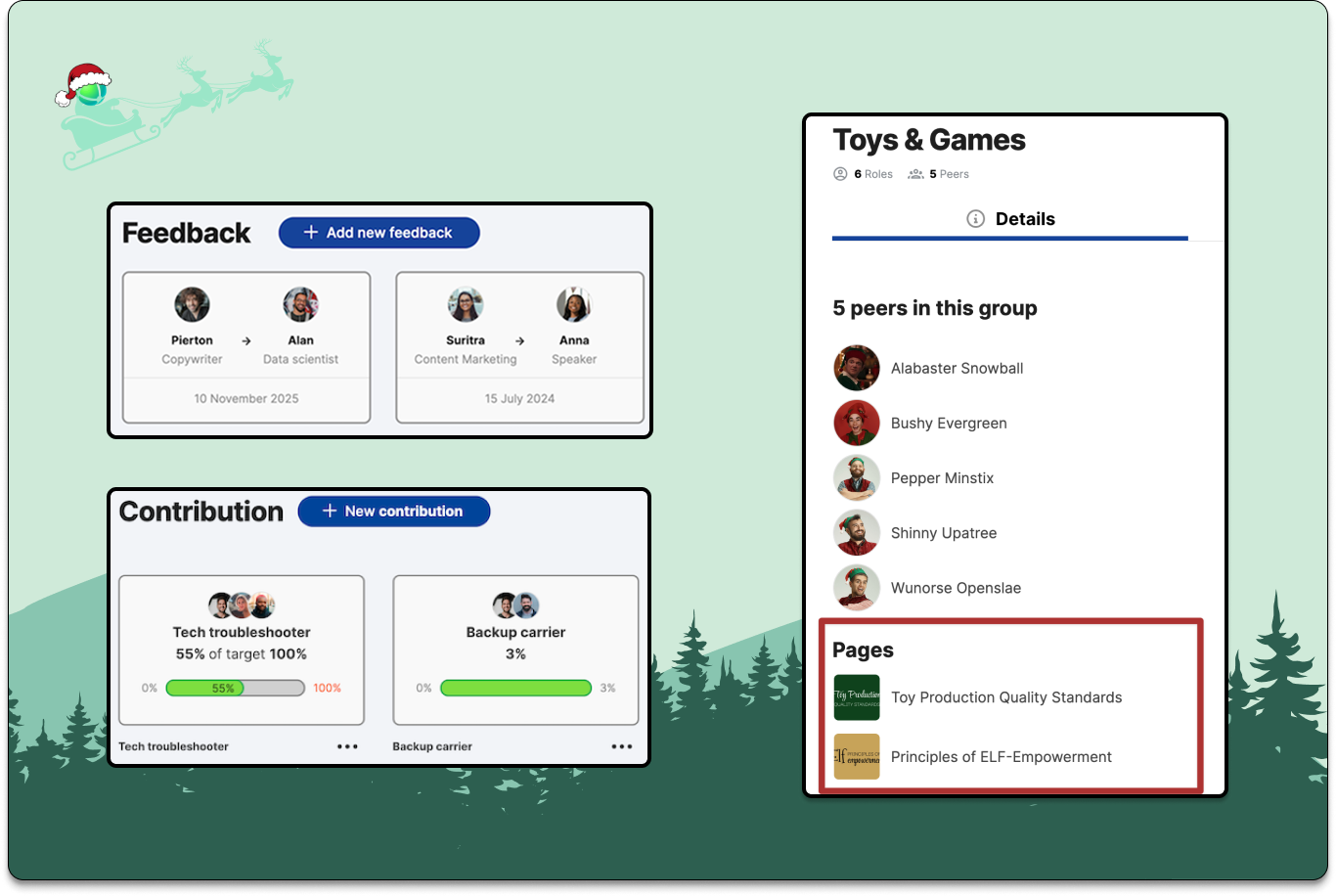
Add Pages directly to roles, groups, and profiles. Whether it's policies, working agreements, onboarding guides, or role instructions, you can now place the right knowledge exactly where it belongs.
Feedback Dashboard
A new dashboard that helps you see how feedback flows across the organization. This includes who’s giving it, who’s receiving it, and where conversations may need a nudge.
Contribution Dashboard
A new perspective that shows every role with contribution targets and progress bars, helping teams instantly spot over- or under-staffed areas.
Enhanced Directory
A richer sidebar, customizable columns, a complete Role Directory, and smoother navigation make it easier to browse the people and the work within your organization.
Taken together, these improvements make Peerdom a more contextual system where you spend less time hunting for what you need.
#3: Integrations & Connections
This year we leaned further into a strategic direction we care deeply about: turning Peerdom into the visual, spatial connective tissue that ties your toolstack together. The more your external systems can feed into Peerdom, the richer and more actionable your map becomes.
Identity & Access
Support for Okta SSO and improvements to SAML flows (including mixed identity sources) make it easier for teams to manage access at scale.
Automation Power
Integrations with Zapier, Pipedream, and real-time Webhooks allow Peerdom to stay in sync with the tools you already use. If something important changes (eg. a new peer, a role reassignment, a team reshuffle) you can trigger downstream workflows automatically.
Developer Tools
Self-service API keys, APIs for assigning/unassigning roles, and stable IDs for custom fields give developers a more reliable way to build automations and extensions around your map.
These integrations mark a shift toward a more connected future. We envision your org map becoming a living window into how work moves across your entire ecosystem of tools.
#2: Drag-and-Drop
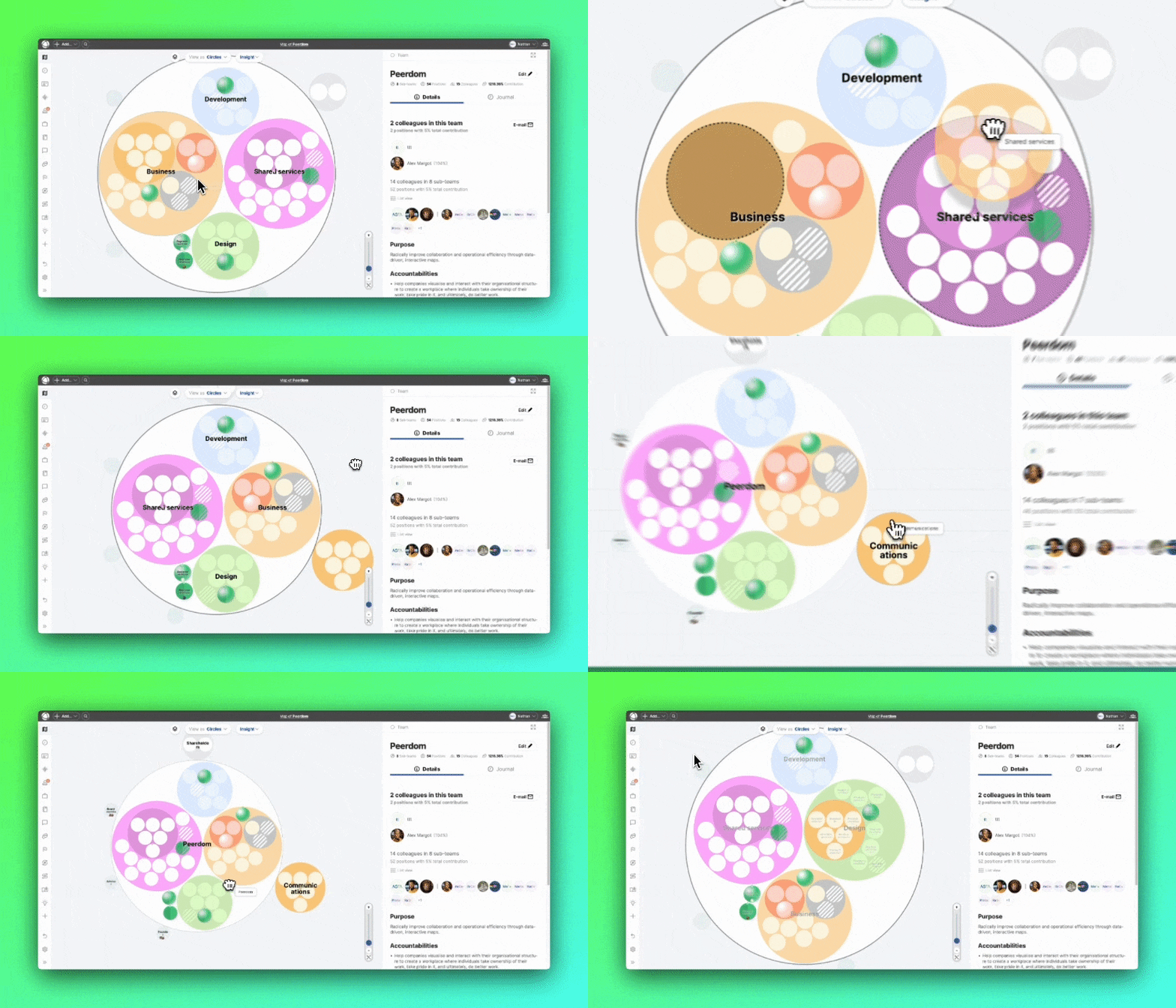
One of the most celebrated upgrades of the year was drag-and-drop map editing.
Designing or adjusting an organization used to be thoughtful but sometimes slow work. Now it’s delightful and tactile. Move roles, copy groups, and reorganize teams instantly. Org designers can explore multiple structural options in minutes, not hours, with the kind of fluidity that sparks better conversations and better decisions.
This one was a long time dream of ours, and we were excited to finally put it in your hands.
#1: Relationships, inside and between organizations
If we had to choose the most important theme that defined 2025, it would be relationships. These are the connections that reveal how work really flows.
Inside an organization, relationships help surface the often-invisible networks that support collaboration: mentoring, advising, dotted-line reporting, cross-team responsibilities, mission-based teams, and the informal topic groups. This year we rebuilt them in a much more powerful and expressive way.
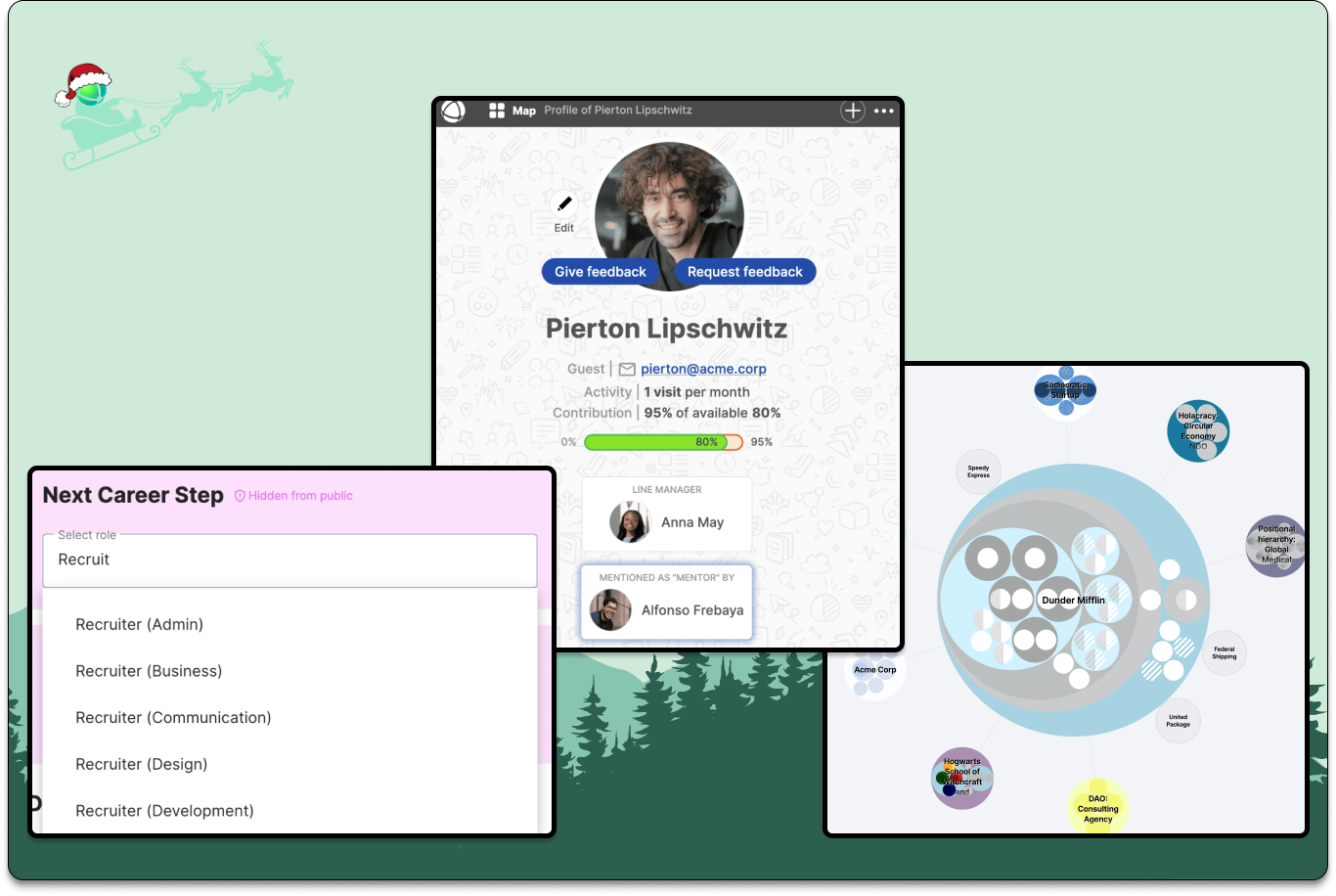
You can now create relationships between any peer, role, or team on your map. For example: peer-to-peer, or role-to-role, peer-to-roles. One use case may be to highlight a list of roles one would like to grow into (career path) for each peer.
Relationships can be added right where they matter:
- on peer profiles (in the header)
- in role or group descriptions as a custom field
Relationships extend beyond a single organization. Via the Network App, maps can now reveal relationships between organizations. You can also hop between maps with a simple “Visit map” action.
These features bring Peerdom one step closer to mapping ecosystems that your organization operates within. Relationships fill in the “white space” that traditional org charts leave out, making the invisible visible.
If you’d like to learn more, we wrote up a detailed guide on capturing relationships.
Wrapping up
Thanks for another year of building, exploring, and reorganizing with us. As always, your feedback and curiosity shape where Peerdom goes next. We have exciting things brewing for 2026 and we're excited to share in the new year.
As this year wraps up, the whole Peerdom team wishes you more clarity, better relationships, and more conversations that help your work thrive.
See you next year.